Emulation
Best Handhelds for GameCube Emulation in 2026
GameCube via Dolphin separates flagship Android handhelds from everything else. Here's which devices handle the full library and which aren't even close.
Zürich, Switzerland
Published May 13, 2026
GameCube emulation is the wall that most budget and mid-range handhelds crash into. Unlike PS1 or N64, which run comfortably on almost anything with a Mali GPU and a few hundred milliamps of battery, Dolphin — the only viable GameCube emulator in active development — is demanding on both CPU and GPU. The platform fact sheet puts it bluntly: Allwinner H700-class Linux handhelds cannot run GameCube at playable speeds, and even mid-range Android chips (Dimensity 1100, Unisoc T820) handle only the lighter end of the library at modest resolutions.
The short recommendation: if GameCube is your primary target, you want Snapdragon 865 or better. Below that line you’re making compromises. The AYN Odin 2 on Snapdragon 8 Gen 2 is the clean answer if budget isn’t a constraint; the Retroid Pocket 5 at $219 is the sweet spot for most buyers. The Anbernic RG556 and Retroid Pocket 4 Pro sit in playable-but-conditional territory — fine for Mario Kart, painful for F-Zero GX.
What it takes to emulate GameCube
Dolphin is classified as demanding on both CPU and GPU, and it needs at least 2 GB of RAM allocated to run comfortably. The original GameCube hardware ran a 485 MHz PowerPC Gekko CPU paired with a 162 MHz ATI Flipper GPU — but accurate emulation of that architecture on ARM requires significantly more raw compute than the numbers suggest. The Gekko’s out-of-order execution and the Flipper’s fixed-function pipeline translate badly to mobile ARM cores.
Accuracy sensitivity is rated high. Small differences in GPU scheduling produce graphical glitches or frame-time hitches on games like Luigi’s Mansion (real-time lighting) and Resident Evil 4 (demanding scene geometry). The platform fact sheet notes that the community-accepted sweet spot for mid-range capable devices is 720p (2× internal upscale) — 1080p often drops frames on anything below flagship tier. Even then, F-Zero GX at 60 fps is the stress test that separates the capable from the struggling: on Unisoc T820 hardware it runs at 40 fps or below, which the fact sheet describes as “practically unplayable.”
No BIOS is required. Dolphin is self-contained and the optional IPL boot ROM only affects the authentic boot sequence, not game compatibility.
Top picks
1. AYN Odin 2 — flagship, no compromises
AYN Odin 2 — GameCube emulation (Dolphin Android)
- Super Mario SunshineFull speed Perfect
- Mario Kart: Double Dash!!Full speed Perfect
- F-Zero GXFull speed Perfect
- Resident Evil 4Full speed Perfect
The Odin 2 runs on a Snapdragon 8 Gen 2 with an Adreno 740 GPU — the most powerful SoC available in a retro-focused Android handheld. GameCube status is listed as perfect: full library at 1080p. The 6-inch 1920×1080 IPS screen gives you enough pixels to appreciate the upscale without stressing the chip. At $299 for the Base (8 GB / 128 GB) up to $459 for the Max (16 GB / 512 GB), it’s the most expensive option here, but the three variants differ only in RAM and storage — performance is identical across all of them.
Wi-Fi 7, Bluetooth 5.3, hall-effect analog sticks, and a full-size HDMI out round out a package that genuinely doesn’t ask you to compromise anywhere. If you’re buying one device to handle GameCube plus everything up through Switch emulation, this is it.
2. Retroid Pocket 5 — best value for GameCube
Retroid Pocket 5 — GameCube emulation (Dolphin Android)
- Super Mario SunshineFull speed Perfect
- Mario Kart: Double Dash!!Full speed Perfect
- F-Zero GXFull speed Perfect
- Resident Evil 4Full speed Perfect
The Retroid Pocket 5 hits GameCube perfect status at $219 on a Snapdragon 865 with an Adreno 650. The active cooling fan is doing real work here: sustained Dolphin sessions on a passively cooled device at this SoC tier would throttle; the RP5 doesn’t. The 5.5-inch AMOLED at 1920×1080 is genuinely the nicest screen in this price band, and GameCube games upscaled to 1080p look excellent on it.
Battery life under heavy emulation is around 3 hours 35 minutes per measured testing — acceptable for a gaming session, not enough for a long-haul flight. Hall-effect sticks, micro HDMI out, Wi-Fi 6. At $219 direct from Retroid (pre-order pricing was $199), this is the device I’d recommend to most European buyers after customs.
3. Anbernic RG556 — playable but conditional
Anbernic RG556 — GameCube emulation (Dolphin Android)
- Super Mario SunshinePlayable at 720p Playable
- Mario Kart: Double Dash!!Playable at 720p Playable
- F-Zero GXChoppy (≤40 fps) Choppy
- Resident Evil 4Mixed Playable
The RG556 runs a Unisoc T820 (6nm) with a Mali-G57 MC4 GPU clocked at 850 MHz. GameCube status is rated playable, not perfect. The community-tested sweet spot is 720p (2× internal upscale): Super Mario Sunshine, Mario Kart Double Dash, and Super Monkey Ball run well at that setting. F-Zero GX runs at 40 fps or below and is described in testing as practically unplayable. Heavy titles like Resident Evil 4 are mixed depending on scene.
At $184.99 MSRP (often $169.99 on sale), the RG556 is significantly cheaper than the RP5. The 5.48-inch AMOLED is a genuine visual highlight and it weighs 331 g — heavier than the competition, but the rear grips offset that. If your GameCube library is Mario Kart and Sunshine rather than F-Zero GX and RE4, the RG556 is a reasonable budget-adjacent option. If you care about the demanding end of the library, spend the extra on the RP5.
4. Retroid Pocket 4 Pro — playable, same caveats
The RP4 Pro runs a Dimensity 1100 (6nm) with a Mali-G77 MC9 GPU at 836 MHz and 8 GB LPDDR4X. GameCube status is rated playable, consistent with the RG556’s tier. Reviewers note it “performed great with most tested titles” in the PS2/Wii/GameCube bracket, but no specific fps data is published for the demanding end of the GameCube library. The active cooling fan enables sustained overclocking — that margin helps with borderline titles.
At $149 direct ($139 on sale), this is the cheapest device on this list. The 4.7-inch IPS at 750×1334 is the weakest screen here — reviewers flag that the low resolution at that size results in small on-screen text. Weight is reported at 251 g by XDA, making it the lightest of the four. If GameCube is one of several platforms you want rather than the primary target, the RP4 Pro’s price is compelling. For GameCube as a focus, the extra $70 to the RP5 is worth it.
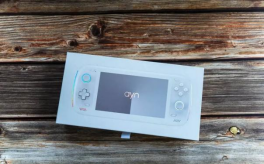
AYN Odin 2
6.0" IPS 1080p, Snapdragon 8 Gen 2, $299+
Image: AYN
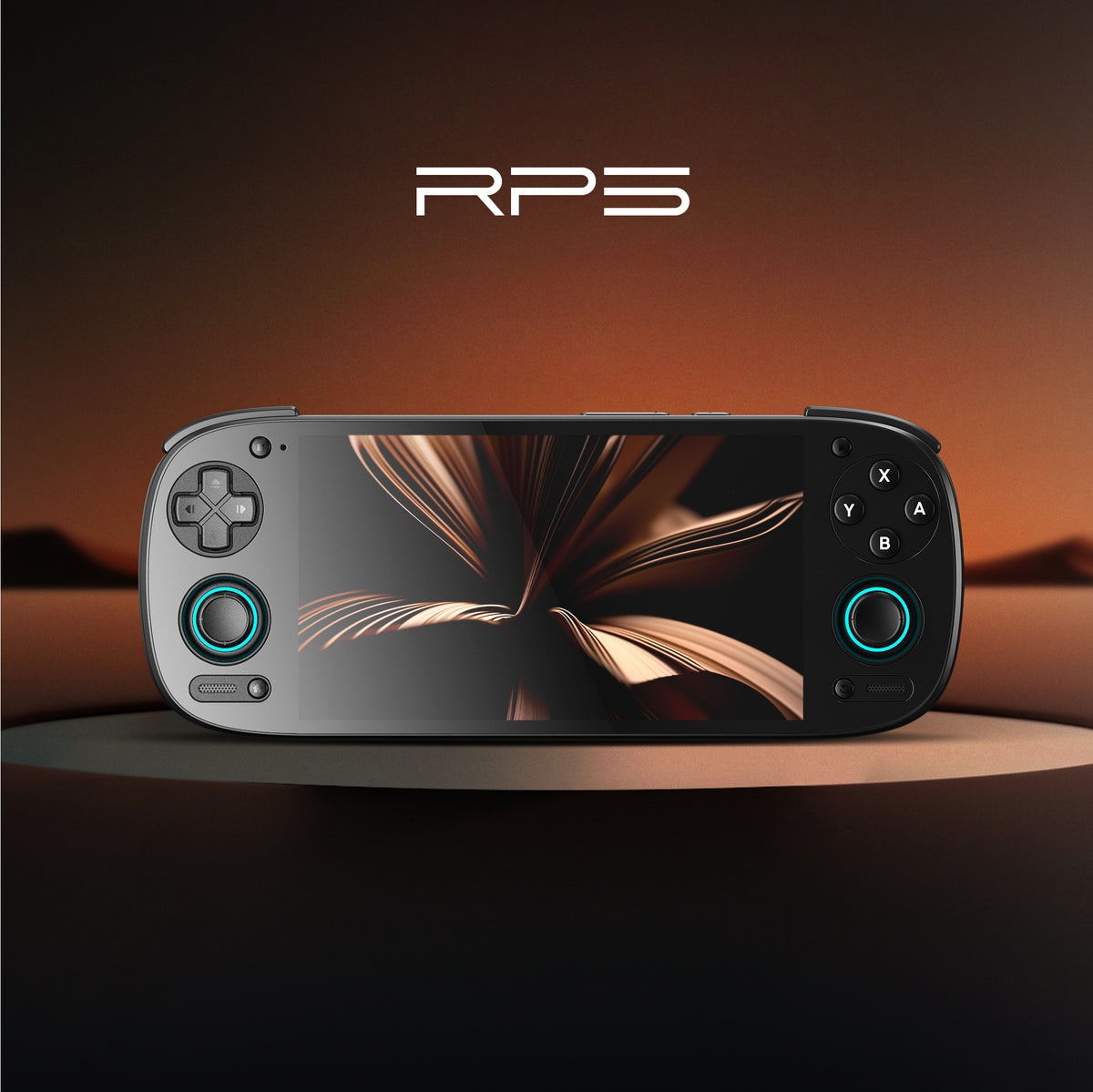
Retroid Pocket 5
5.5" AMOLED 1080p, Snapdragon 865, $219
Image: Retroid
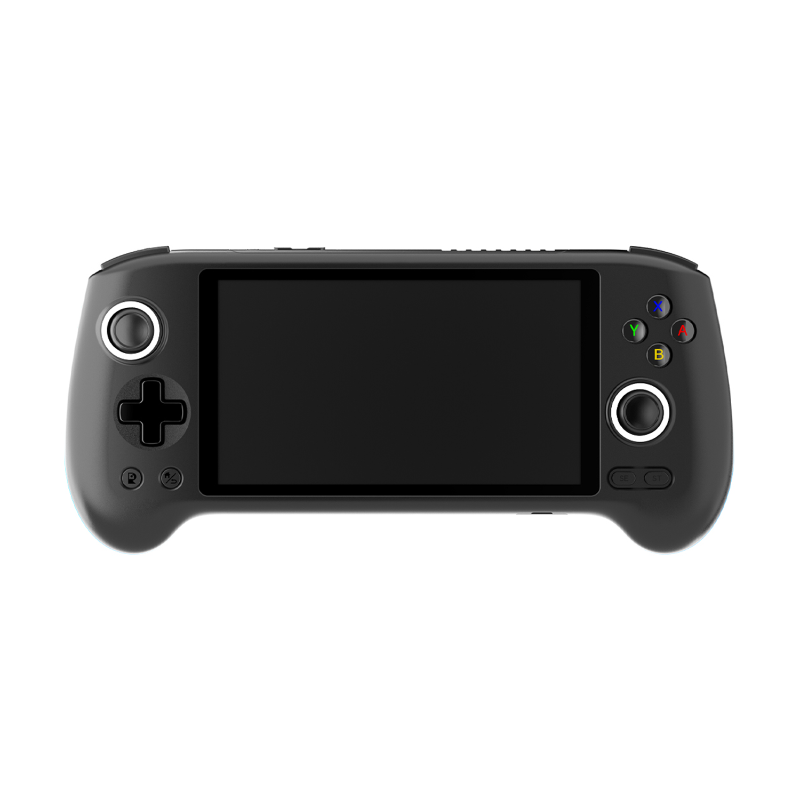
Anbernic RG556
5.48" AMOLED, Unisoc T820, $184.99
Image: Anbernic
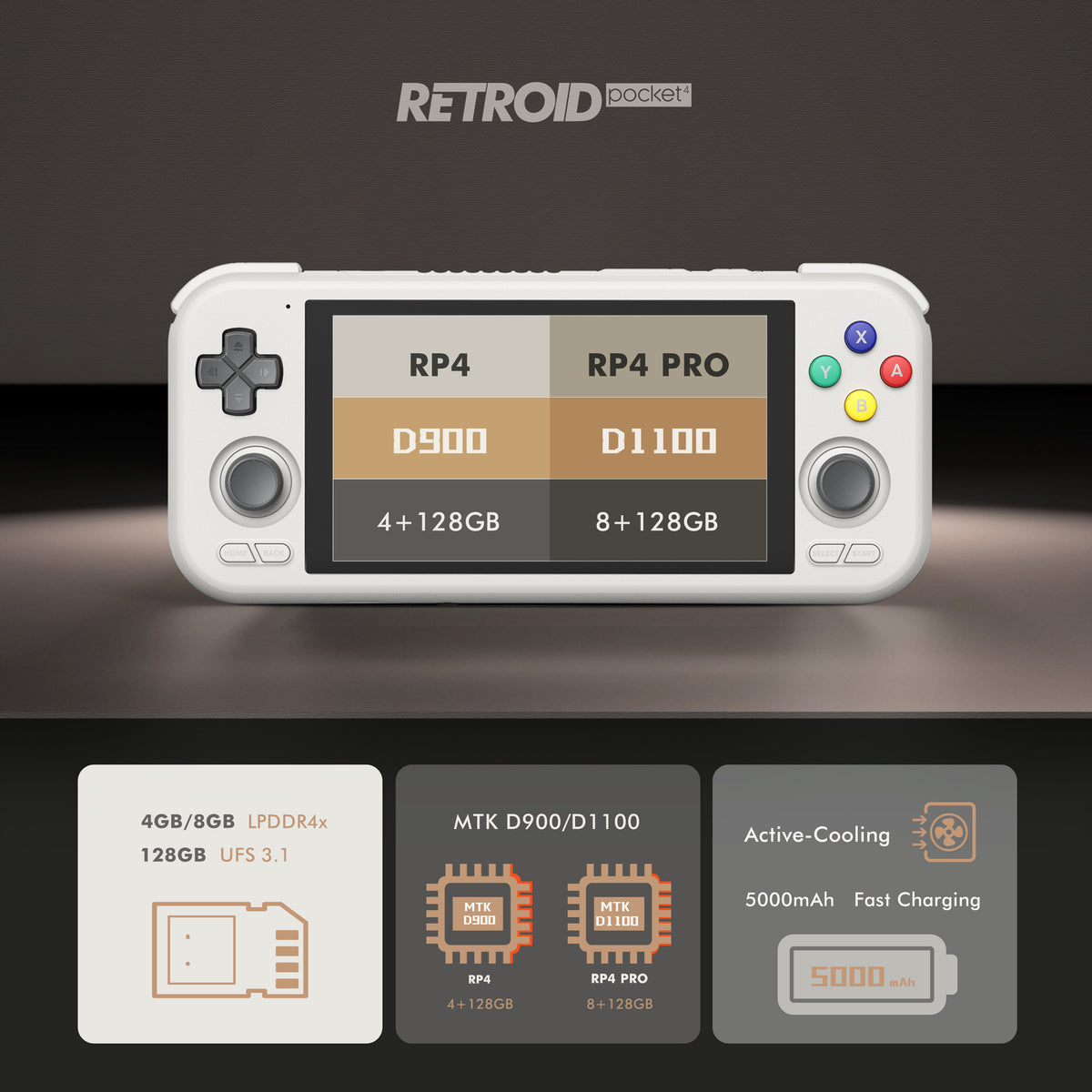
Retroid Pocket 4 Pro
4.7" IPS, Dimensity 1100, $149
Image: Retroid
Emulator recommendations
There is exactly one viable GameCube emulator: Dolphin. No competitive alternative exists. On Android handhelds, you’ll find it as Dolphin MMJR or the official Dolphin Android build — both are derived from the same GPL codebase. Dolphin also handles Wii, so installing it covers both platforms simultaneously.
Performance is variable by SoC tier, which is exactly what the benchmark data above reflects. The Dolphin Android team has done substantial work optimizing for ARM cores, but the gains only materialise on hardware that has the raw compute budget. Configuring Dolphin correctly matters: the 720p vs 1080p internal resolution choice, async shader compilation, and CPU clock settings are the primary levers.
No BIOS dump is required to run GameCube games, which simplifies setup compared to PS1 or PS2 emulation.
Reference games
These are the community-standard test titles, ranging from easy baseline runs to demanding stress tests.
| Game | Difficulty | Odin 2 | Retroid Pocket 5 | RG556 | RP4 Pro |
|---|---|---|---|---|---|
| Super Mario Sunshine | Easy | Perfect | Perfect | Playable | Playable |
| Mario Kart: Double Dash!! | Easy | Perfect | Perfect | Playable | Playable |
| Super Monkey Ball | Easy | Perfect | Perfect | Playable | Playable |
| Metroid Prime | Medium | Perfect | Perfect | Playable | Playable |
| Luigi’s Mansion | Medium | Perfect | Perfect | Playable | Playable |
| Resident Evil 4 | Hard | Perfect | Perfect | Playable | Playable |
| F-Zero GX | Extreme | Perfect | Perfect | Choppy (≤40 fps) | Not verified |
F-Zero GX is the dividing line. If it needs to run at 60 fps, you need Snapdragon 865 or better.
Settings that actually help
The biggest single lever in Dolphin on Android is internal resolution. Dropping from 1080p to 720p (2× native) recovers significant GPU headroom on mid-range hardware — this is how the RG556 and RP4 Pro get to playable status on most of the library. Pushing to 1080p on those devices is fine for light titles but will cause drops on anything heavier.
Async shader compilation prevents the worst stutters on first-visit areas. Enable it by default on all handhelds. The stutter on first load is preferable to mid-game hitches.
Dolphin’s CPU clock override (reducing from 100% to something like 75–85%) can help thermal stability on longer sessions, at the cost of potentially dropping frames in CPU-bound moments. On devices with active cooling (RP5, RP4 Pro), this is less necessary.
Backend choice matters less on Android than it once did — Vulkan is generally the right pick, but if a specific game behaves oddly, try OpenGL before assuming the hardware can’t handle it.
Don’t bother with
Any handheld running on an Allwinner H700, A133P, or similar budget Linux SoC won’t emulate GameCube. These are the Anbernic RG35XX family, RG40XX family, and equivalents — excellent devices for PS1, N64, and below, but Dolphin doesn’t run on their Linux-based firmware stacks, and the SoCs lack GPU capacity regardless. The platform fact sheet is unambiguous: budget Linux handhelds “cannot practically emulate GameCube.”
Switch emulation via Yuzu/Sudachi on mid-range chips can sometimes mislead buyers — a device that struggles with Switch won’t handle GameCube better. The compute demands are different but both are above the budget SoC ceiling.
If someone is selling you a Powkiddy or similar on the promise of GameCube support, they’re referring to a handful of the simplest library titles at slideshow frame rates. That’s not emulation worth paying for.
Bottom line
For a pure GameCube focus on a budget, the Retroid Pocket 5 at $219 is the right answer. Snapdragon 865 with active cooling, a 5.5-inch AMOLED, and a perfect GameCube status across the full library. The $70 gap between it and the RP4 Pro is justified specifically because of F-Zero GX, Resident Evil 4, and anything else on the demanding end. If you’re buying one device to play GameCube properly, save the extra.
If you want the full library at 1080p with zero asterisks — and you also plan to push Switch emulation and PS2 at 3× — the AYN Odin 2 Base at $299 is the honest answer. The Snapdragon 8 Gen 2 is in a different tier from everything else here, and it shows in GameCube. That’s $80 more than the RP5 for headroom you may or may not need, depending on what else is in your library.